
BlogRecipes
How do I save just the recipe from a recipe website?
Skip the life story. Print the recipe card on its own, or save the page to an app that keeps only the recipe. What each way keeps, and what Cavvi turns it into.
 Benaiah, founder4 min read

Cover art by Pixeljad
For a one-off, use the Print button on the recipe card further down the page. It prints the ingredients and steps on their own, and you can save that as a PDF. To keep the recipe for good, save the page to an app that pulls the recipe out of it.
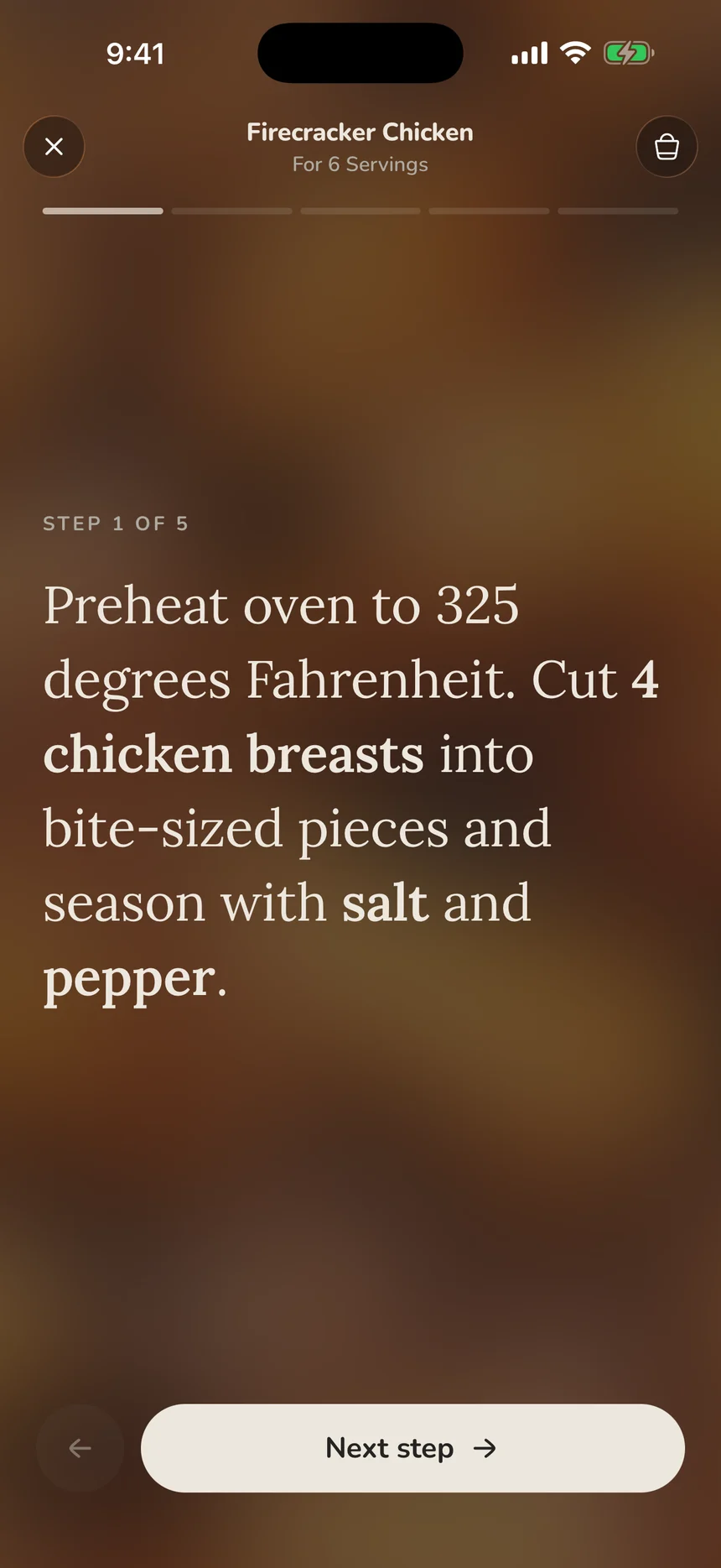
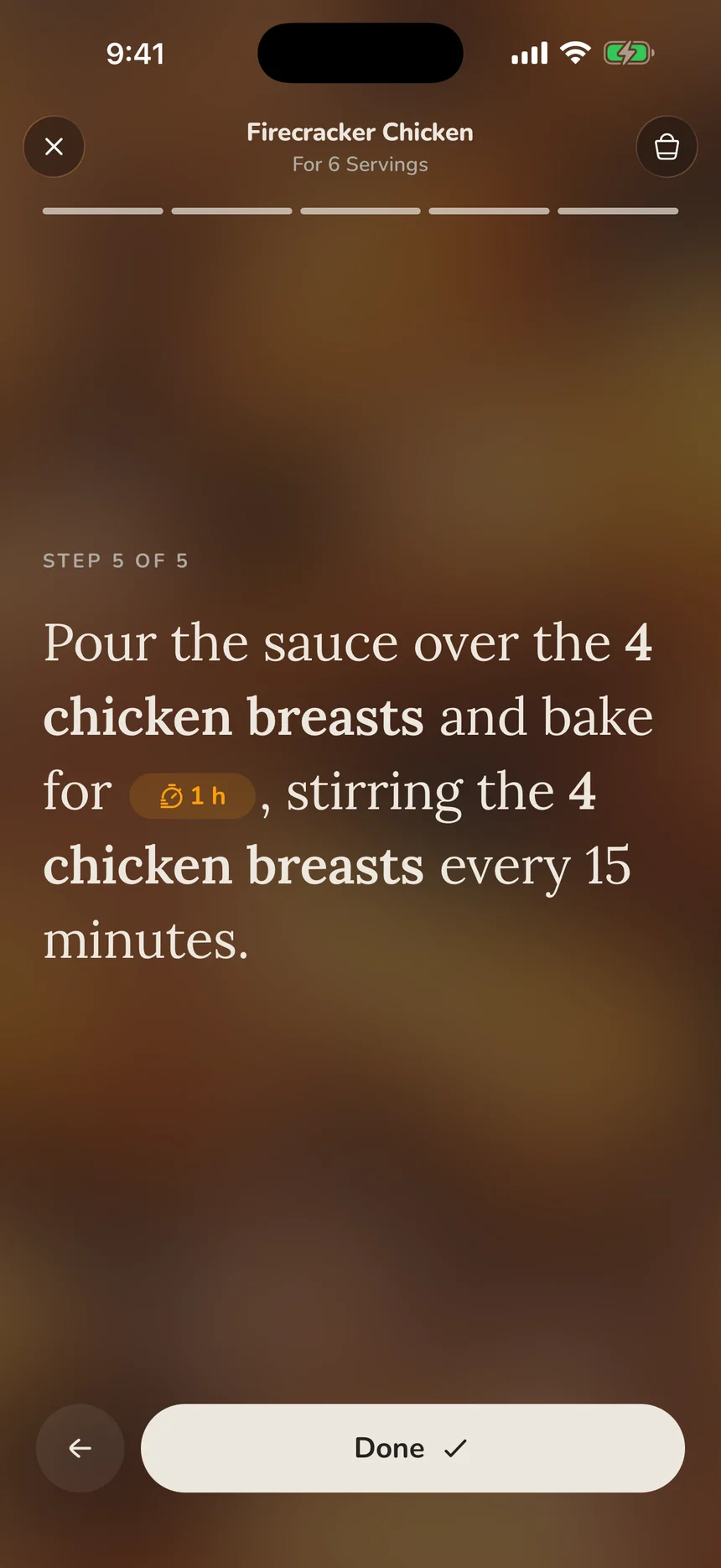
Cavvi, the app I make, does that with Library AI. The page you saved becomes a recipe you can cook from, with amounts for the number of people you set, timers for the times in its steps, and one step at a time when you're at the stove.
Why recipe pages are so long
Food bloggers say the writing pays for the recipe. They earn from the ads that run beside it, and many believe longer pages rank better in search (Bowl of Delicious). Some of it is useful, like tips and ingredient swaps.
Copyright plays a part too. In the US, a list of ingredients and simple steps can't be copyrighted, while the writing and photos around them can (US Copyright Office).
Four quick ways to reach the recipe
- Tap Jump to recipe. Most recipe sites put this link at the top, and it skips straight to the recipe card.
- Use the recipe card's own Print button, which leaves the story out. Choose Save as PDF to keep a copy.
- Open the page in reader view: Safari's Reader button, or Open in reading mode from the right-click menu in Chrome. It strips many recipe pages down to their text, though not all of them.
- Install a browser extension such as Recipe Filter, which shows the recipe in a pop-up as the page loads. Check what it asks for, because extensions like this read every site you visit.
These get you to a recipe once, but none of them keeps a copy you can come back to.
What Cavvi turns a recipe page into
Save the page with the Cavvi button in Chrome, or tap Share and Cavvi on your phone. With Library AI on, Cavvi reads the page and writes out just the recipe, credited to the site it came from, with a button back to the original.
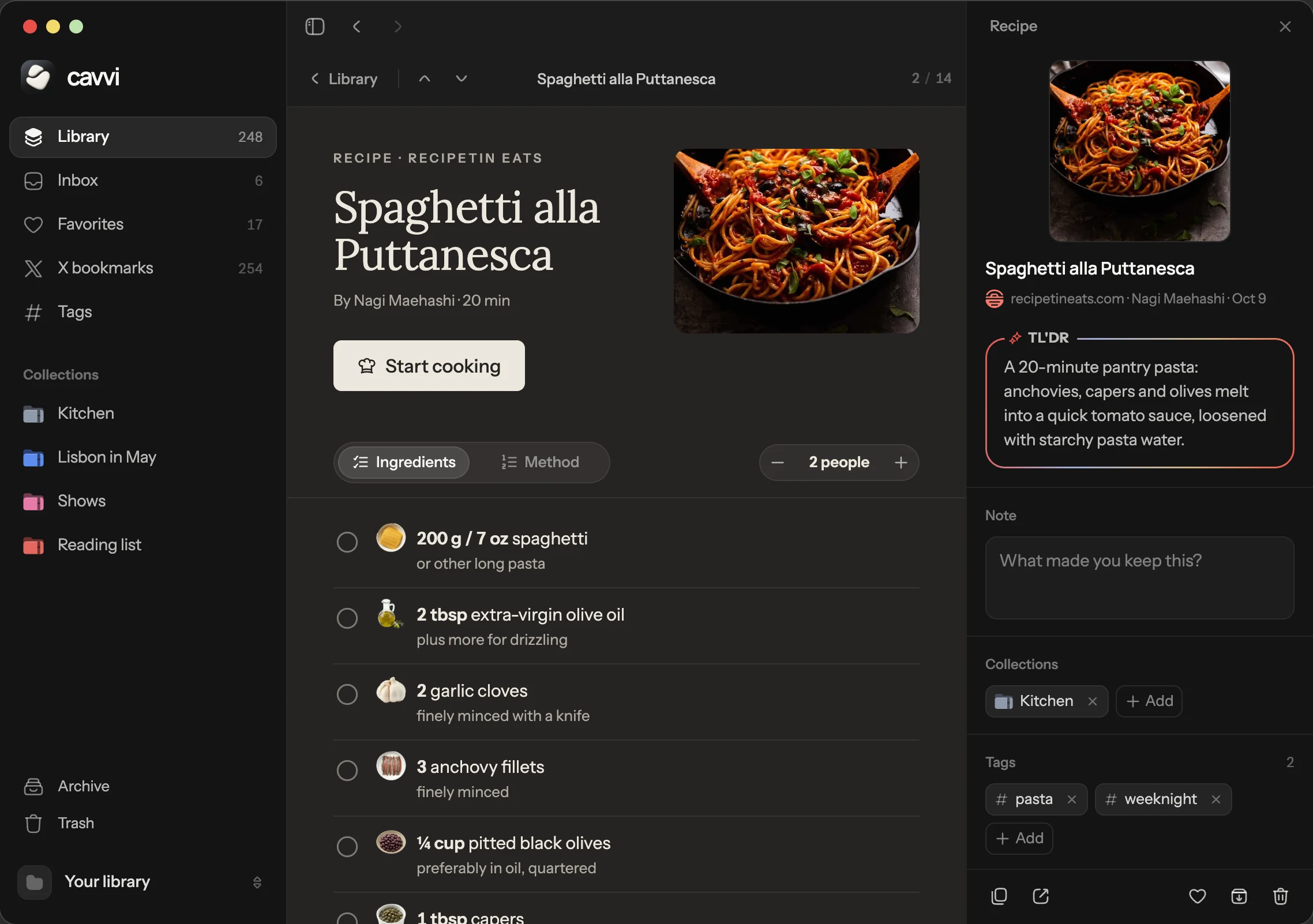
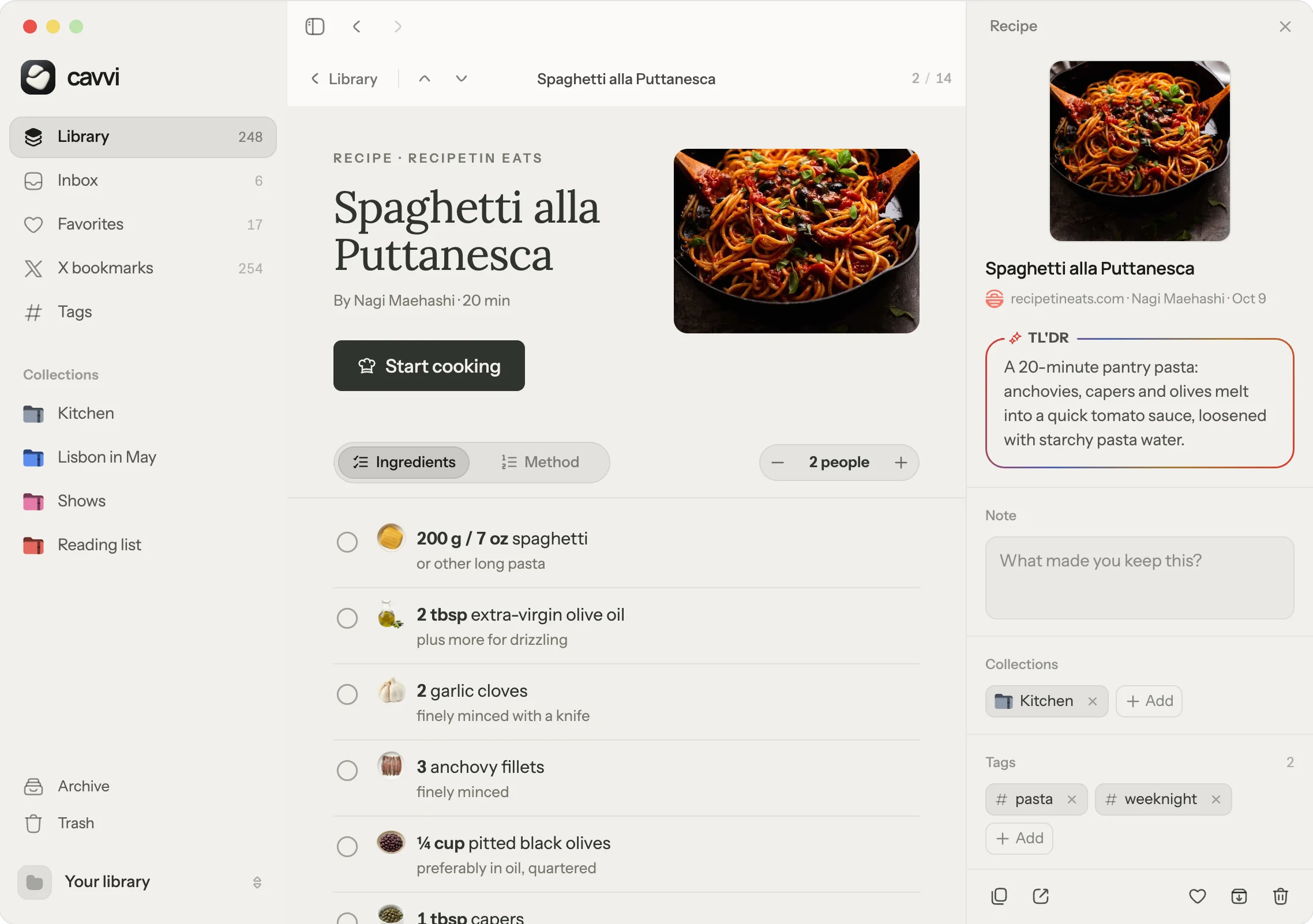
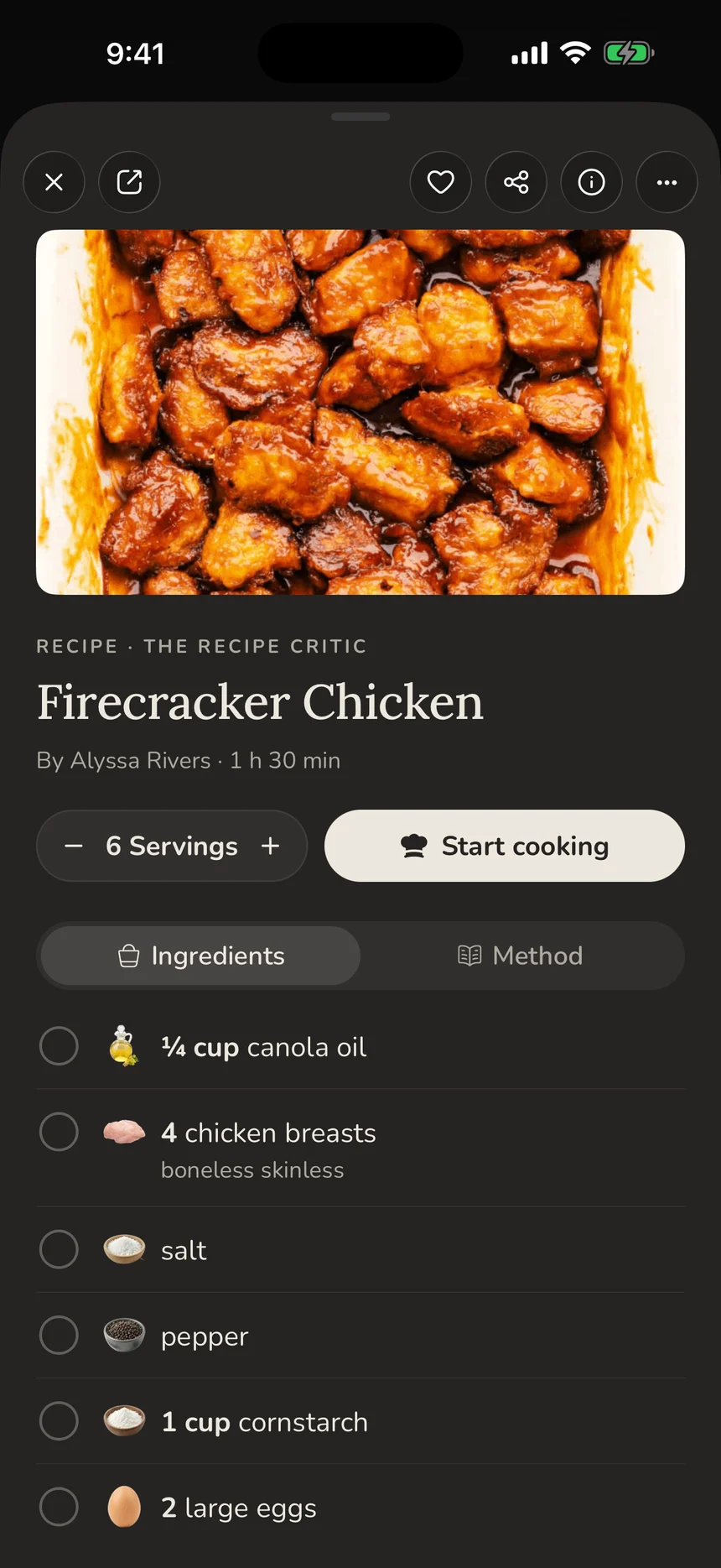
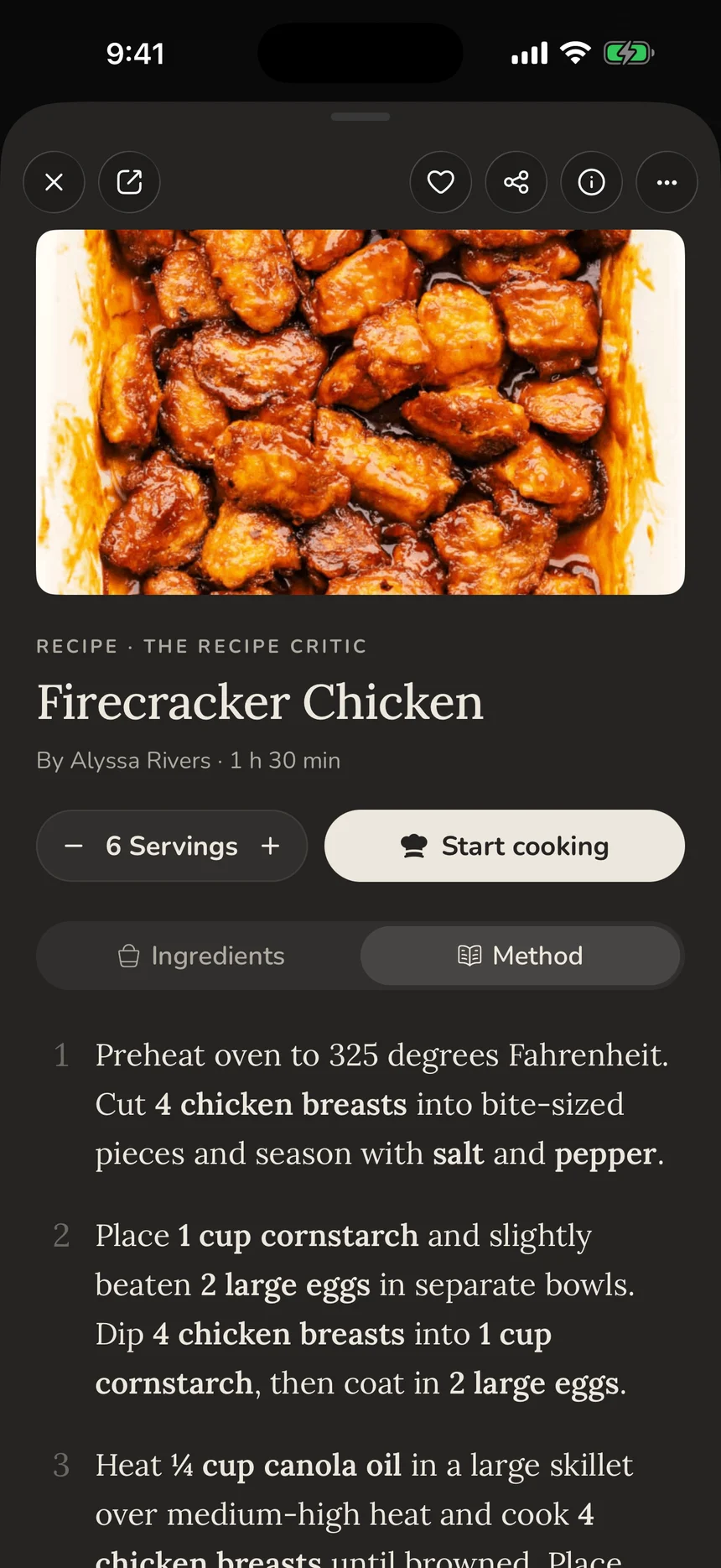
It works the same way on your phone. Set the servings, tick ingredients off as you go, and switch to the method, where each ingredient's amount appears in the step that uses it.
Start cooking takes you through the recipe one step at a time, and a time in a step becomes a timer you can start with a tap. On the Mac, a running timer sits in the menu bar. On iPhone, it shows on the Lock Screen.
"I decided I'd rather have control over my recipes."
u/nas8228 on r/Cooking, September 2026
Your recipes sit in your own library as ordinary files on your devices, next to everything else you save. Recipes you save from Instagram, TikTok and YouTube work the same way; see How to save recipes from TikTok and Instagram.
What it doesn't do
Turning a page into a recipe needs Library AI, which runs on your own OpenAI or OpenRouter key. Without a key, Cavvi still saves the page and its text, but you can't scale it or start timers.
There's no shopping list or meal planner. If those are why you open a recipe app, these recipe apps do them well.
Cavvi runs on Mac, iPhone, iPad and Android. Every device starts with 10 free saves, then it's $39 once, with no subscription.
Questions
How do I print just the recipe?
Use the Print button on the recipe card, not your browser's print command. It prints the ingredients and steps on their own, and you can save them as a PDF.
Why do recipe websites have so much writing before the recipe?
Mostly ads and search. Bloggers earn from the ads beside the text, and many believe longer pages rank better. The best ones also put useful tips there.
Are recipes copyrighted?
In the US, a list of ingredients and simple steps can't be copyrighted. The writing, photos and detailed explanations around them can be.
How do I save a recipe without the ads?
Save the page to a recipe app that pulls out the recipe. Cavvi does this with Library AI and keeps a link back to the original.
Can Cavvi change the servings of a recipe?
Yes. Set the number of people and every amount in the ingredients and steps changes to match.
Keep reading

Recipes
Recipe apps without a subscription, after Paprika 4
Paprika 4 now charges $14.99 a year for sync and social import. The recipe apps you can still buy once, with what each costs over five years.

Recipes
How to save recipes from TikTok and Instagram
Five ways to keep TikTok and Instagram recipes, from Collections to apps that read the video. What each keeps, what it loses and what it costs.

Compared
Best bookmark manager for Mac in 2026, compared
Raindrop, Anybox, GoodLinks, Linkwarden and more compared on price, pay-once options, offline use, search and phone apps. Prices checked November 2026.