



BlogHow to
Is there an app that reminds you of saved posts?
Instagram, TikTok and X never bring your saves back to you. How to get reminded of what you saved, from a weekly habit to notifications that bring old saves back.
 Benaiah, founder4 min read

Cover art by Pixeljad
Not inside Instagram, TikTok or X: their saved tabs only show your saves when you go looking. A few apps send old saves back to you instead. Cavvi does it on iPhone, with a notification about one thing you saved a while ago, on the days and at the time you pick.
Why saves never come back
A save feels like dealing with something, and then nothing ever brings it up again. One post on X said it plainly, and 3,200 people liked it:
"i'm a simple girl. i bookmark a tweet so i won't forget it and then i never look at it again"
@swannesnupi on X, December 2023
People who go looking for a fix ask for the same thing:
"i have a lot of articles, websites, videos that i need to watch later but dont know how to organize this and remind me to look at it later"
u/kingjame888 on r/productivity, June 2026
One reply in that thread summed up why the usual apps let them down: "Most read-later systems fail because they're good at saving and bad at resurfacing."
Ways to get reminded without a new app
A weekly review in your calendar
Another suggestion in the same thread was the simplest one: a repeating calendar event that has you go through what you saved that week. It costs nothing and works as long as you keep the appointment, though it hands you the whole pile at once.
A reminder on one save
For something with a date, such as a gig, a sale or a recipe for the weekend, set a reminder on that one save. Phone reminder apps can hold a link, and some bookmark apps, Cavvi included, let you put a reminder on a save directly.
Notifications that bring old saves back
Neither of those brings back the things you've forgotten you saved. For that, something has to pick them for you.
I make Cavvi, an app for keeping everything you save: posts, recipes, links, videos, places and notes. On iPhone, Cavvi can pick one thing you saved a while ago and send it to you as a notification. These came on my own phone:

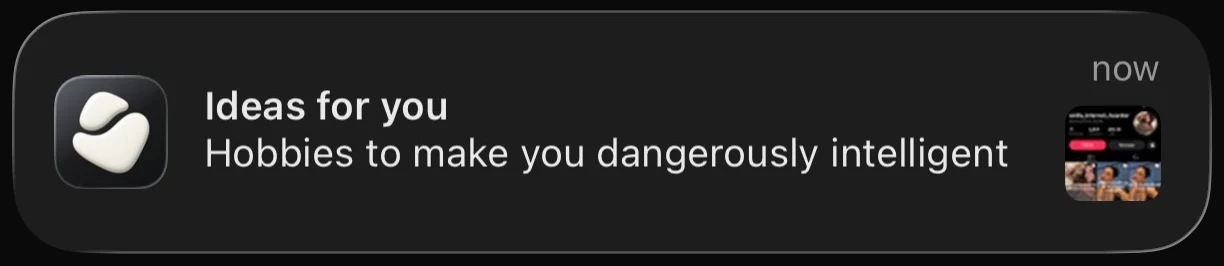

Tap one and the save opens. With Library AI and your own key, each notification is written for its save, the way the dinner one names the dish. Without AI, it shows the save's name and when you saved it. A save with a picture brings its picture along.
To turn it on:
- Tap the gear at the top of your Library to open Settings, then tap Rediscover.
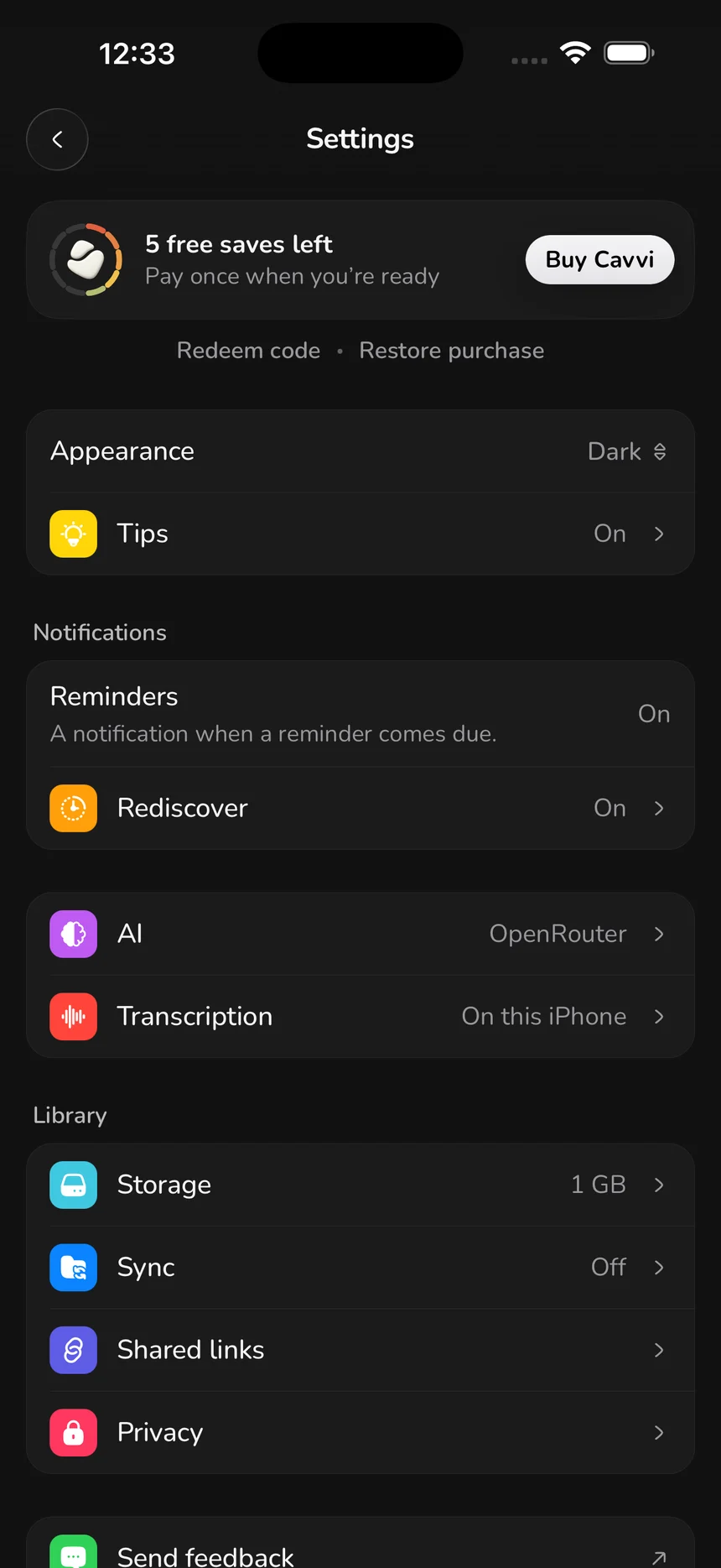
- Turn on Bring back saves. It starts on Tuesdays and Sundays at 7:00 PM.
- Tap other days, or the time, if you'd like them to come at another moment.
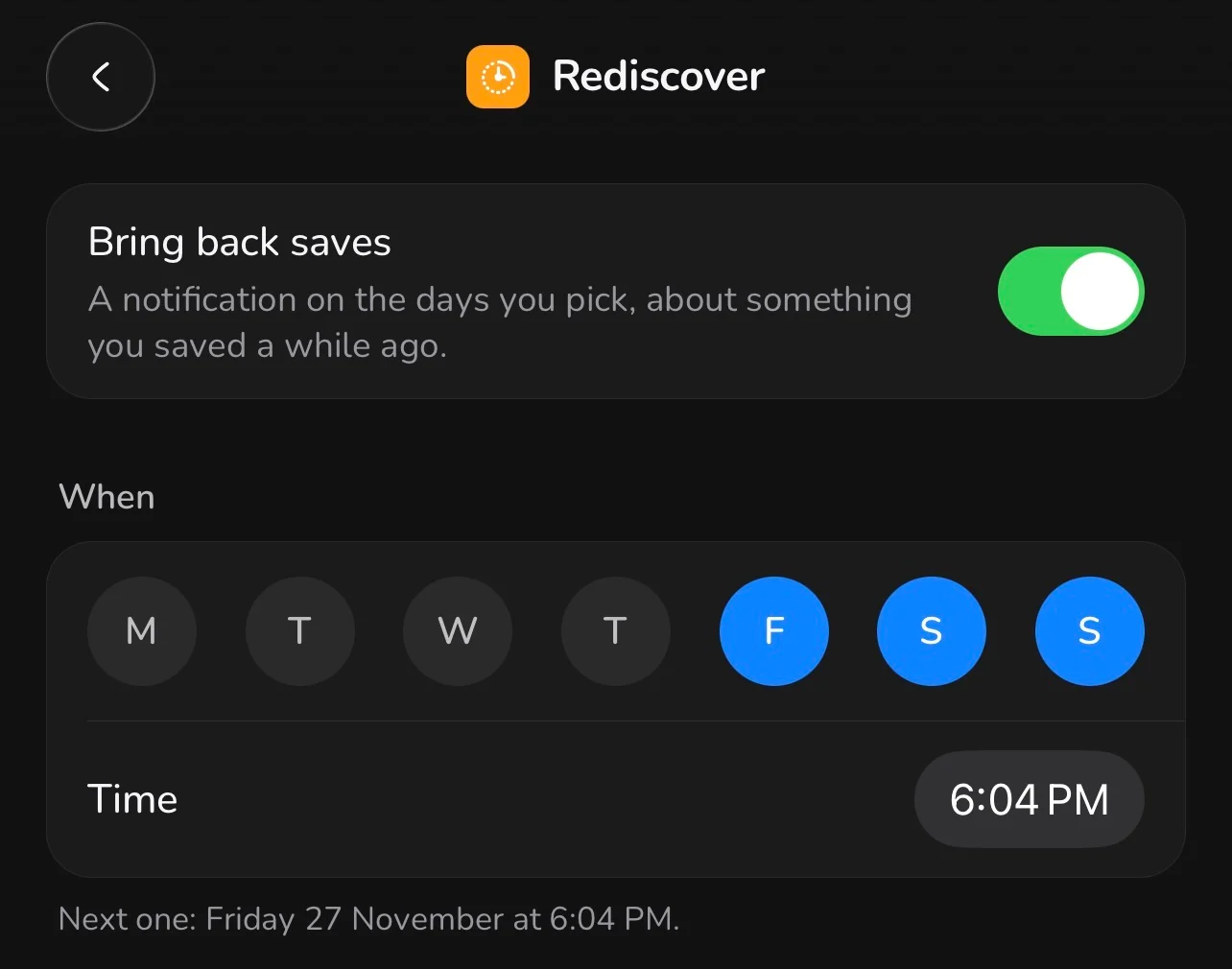
You can also ask Cavvi's agent to set it up in your own words, such as "Show me an old save every Sunday evening."
Cavvi picks from saves at least a week old and goes through them in turn, so nothing comes back twice before everything else has had its turn. It leaves out what you've archived or deleted, and events and saves with a reminder, since those notify you themselves. Imported X bookmarks stay out too, or they'd crowd out everything else. Cavvi plans the next 24 notifications ahead, so they keep coming even if you don't open the app for weeks.
What it doesn't do
Cavvi only knows what you've saved in it, so a post has to be saved there first. Share it from Instagram, TikTok or X with your phone's share sheet. The notifications come on iPhone, and saves you make on your Mac come back on your phone when sync is on. Cavvi can't tell whether you opened a save after its notification. And it won't pick a save because of something happening that day, since each notification is planned ahead.
Cavvi has 10 free saves on each device, then it's $49 once. The steps are in Bring back old saves with Rediscover, and Get reminded about something you saved covers reminders on a single save. If your saved posts have piled up, Too many saved TikToks? has a way to go through them.
Questions
Can Instagram remind me of saved posts?
No. Instagram doesn't remind you about saved posts. Save the ones you want back to an app that sends them, or set a reminder yourself.
How do I remember the things I save?
Go through them on a schedule, put a reminder on anything with a date, and keep saves in one place where something brings them back to you.
How often do Cavvi's notifications come?
On the days and at the time you choose. They start at two a week, on Tuesday and Sunday evenings.
Does it need AI?
No. Without AI, each notification shows the save's name and when you saved it. With Library AI on, the words are written for each save.
Can I turn it off?
Yes. Turn off Bring back saves in Settings › Rediscover, and the planned notifications are cancelled straight away.
Keep reading

How to
How do I download a video from Pinterest?
Pinterest doesn't let anyone download video Pins, not even their own. What works instead, and how to keep a Pin's video as a file you can put in Photos.

How to
How do I download a video from X for free?
X only lets paying subscribers download videos, and only some. The free ways are a downloader site, a command-line tool, or an app that keeps the video.

How to
How do I save Instagram reels to watch offline?
Saved reels need a connection and vanish when they're deleted. How to download a reel with Instagram's own button, and how to keep reels that last.