



BlogHow to
Can ChatGPT search my bookmarks?
Not on its own. ChatGPT only sees what you give it. How to ask AI about your bookmarks and saved posts, from uploading a file to an assistant built into the app.
 Benaiah, founder4 min read

Cover art by Pixeljad
Not on its own. ChatGPT can't see your browser bookmarks, your X bookmarks or the posts you've saved on Instagram, so it can only search what you upload or what a connected app hands it. You can upload a file of your bookmarks, connect an app to ChatGPT, or keep your saves in an app with an AI assistant built in.
Why people want it
This post on r/PKMS, about losing a bookmark within a week of saving it, drew over 150 comments:
"Last Tuesday I found a brilliant CSS technique. Saved it. Tagged it. Felt good about myself. This Monday I needed it. Spent 22 minutes searching. Gave up and Googled it fresh."
u/zmassisnotnull on r/PKMS, August 2026
Searching by title only goes so far when you remember what something was about but not what it was called. That's where asking an AI in your own words helps, and why people keep looking for a tool that does it:
"I still haven't found any service, app, page, extension, ANYTHING to intelligently sort favorites/bookmarks into categories."
u/AltamontSkater on r/PKMS, January 2026
Upload your bookmarks to ChatGPT
Every major browser can export its bookmarks to a file, and ChatGPT can read it. In Chrome:
- Open the menu, then Bookmarks and lists › Bookmark manager.
- Click the three dots at the top right and choose Export bookmarks. Chrome saves an HTML file.
- Upload the file to ChatGPT and ask, for example, "Which of these are about pricing?"
The file holds only each bookmark's title, link and folder. ChatGPT can match words in titles, but it doesn't read the pages behind them, so a bookmark called "Untitled" or "Thread by @someone" tells it nothing. And the file is out of date as soon as you save something new.
Connect an app to ChatGPT
Some bookmark apps offer a connector that ChatGPT can use, and AI apps that support MCP, a standard way to plug other apps in, can search a library directly. It's the most capable route, but it takes setup, and each AI app has its own way of adding a connection. If you use Claude, How do I let Claude search my bookmarks and saved posts? walks through it.
Use an app with the AI built in
The other way is to keep your saves in an app whose assistant already knows your library, so there's nothing to connect.
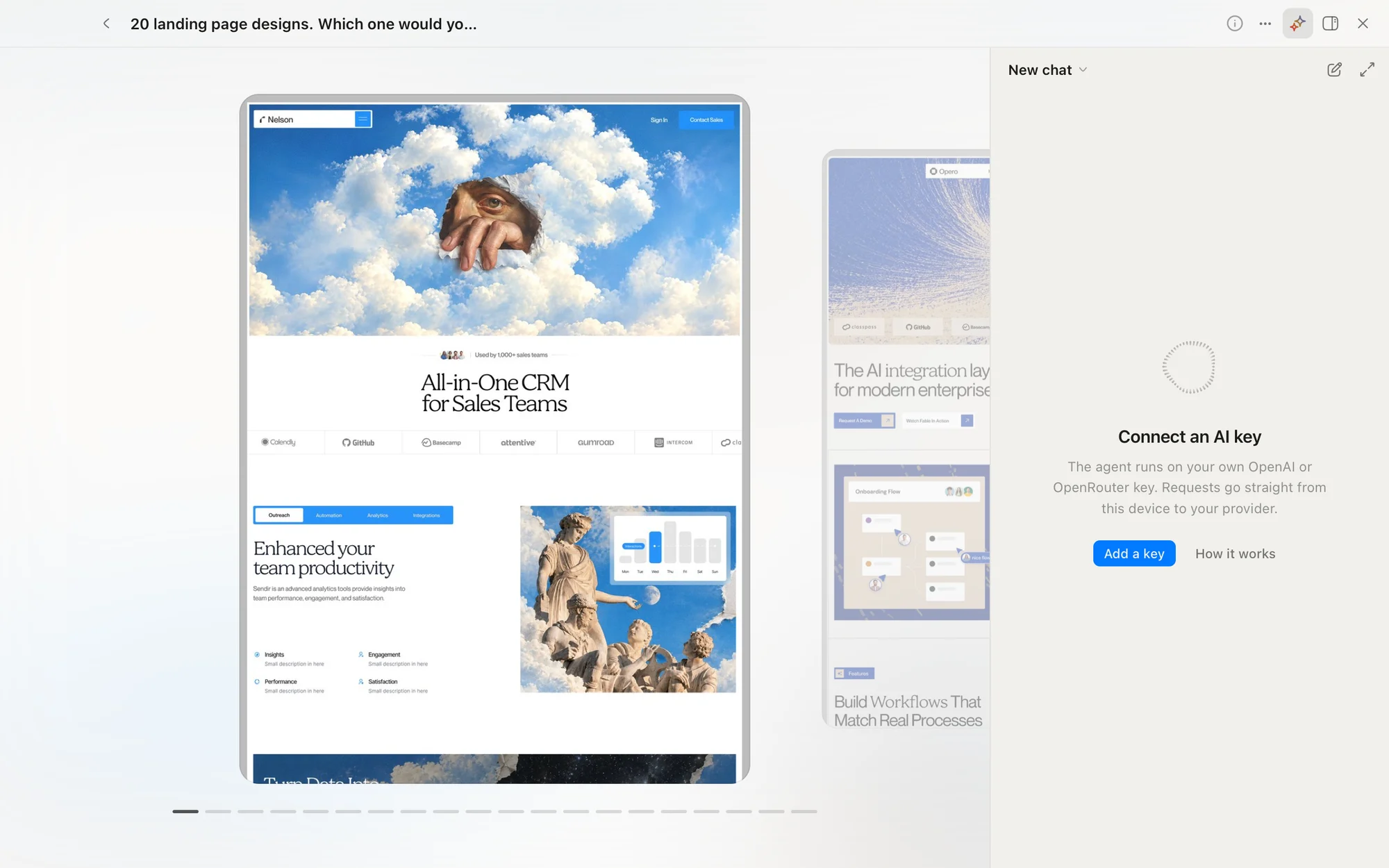
I make Cavvi, which works this way. Cavvi keeps what you save from anywhere: links and articles, posts from X, Instagram, TikTok and Pinterest, recipes, notes and files. Its agent answers questions about all of it, on the Mac with ⌘J and on iPhone from Ask in the tab bar. It runs on your own OpenAI or OpenRouter key, with requests going straight from your device to them. The first time you open it, it asks for that key.
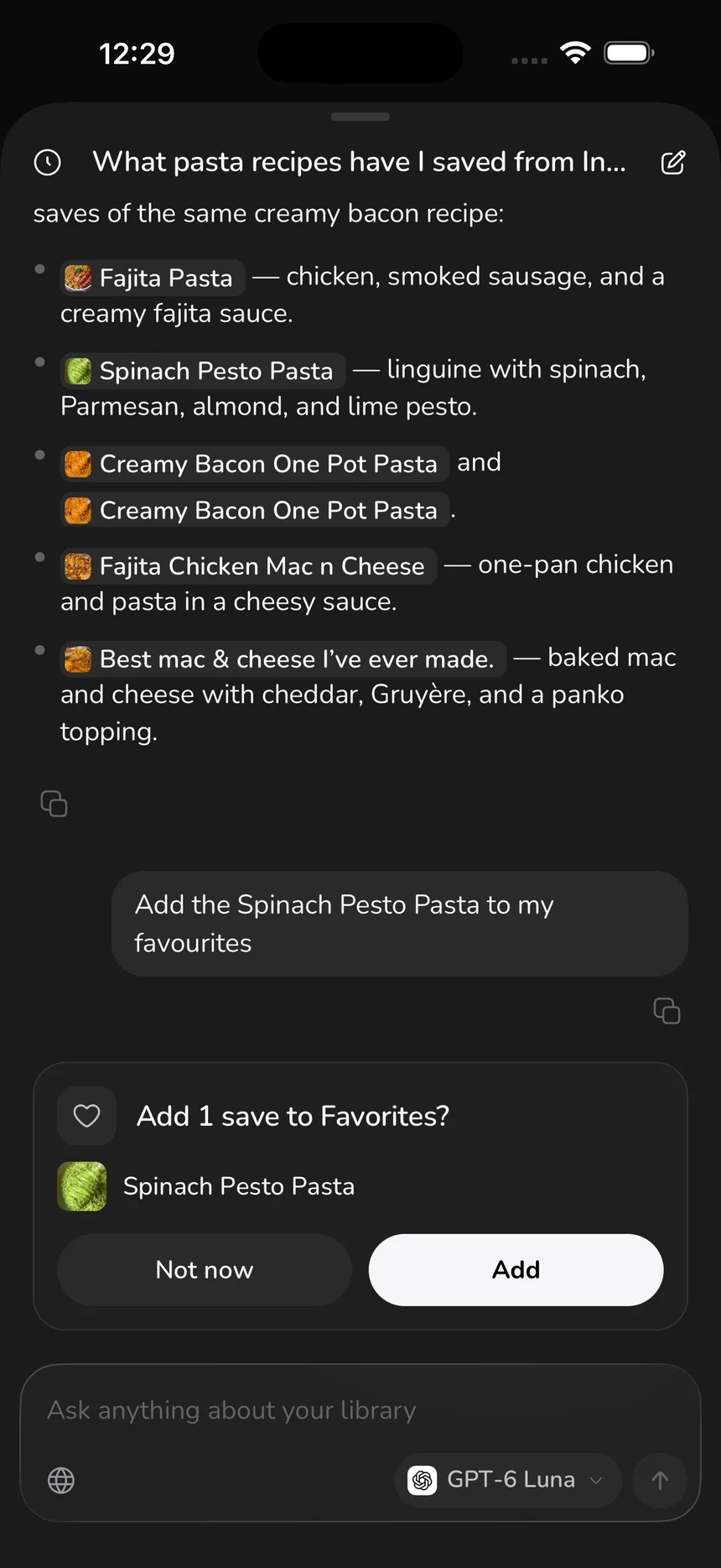
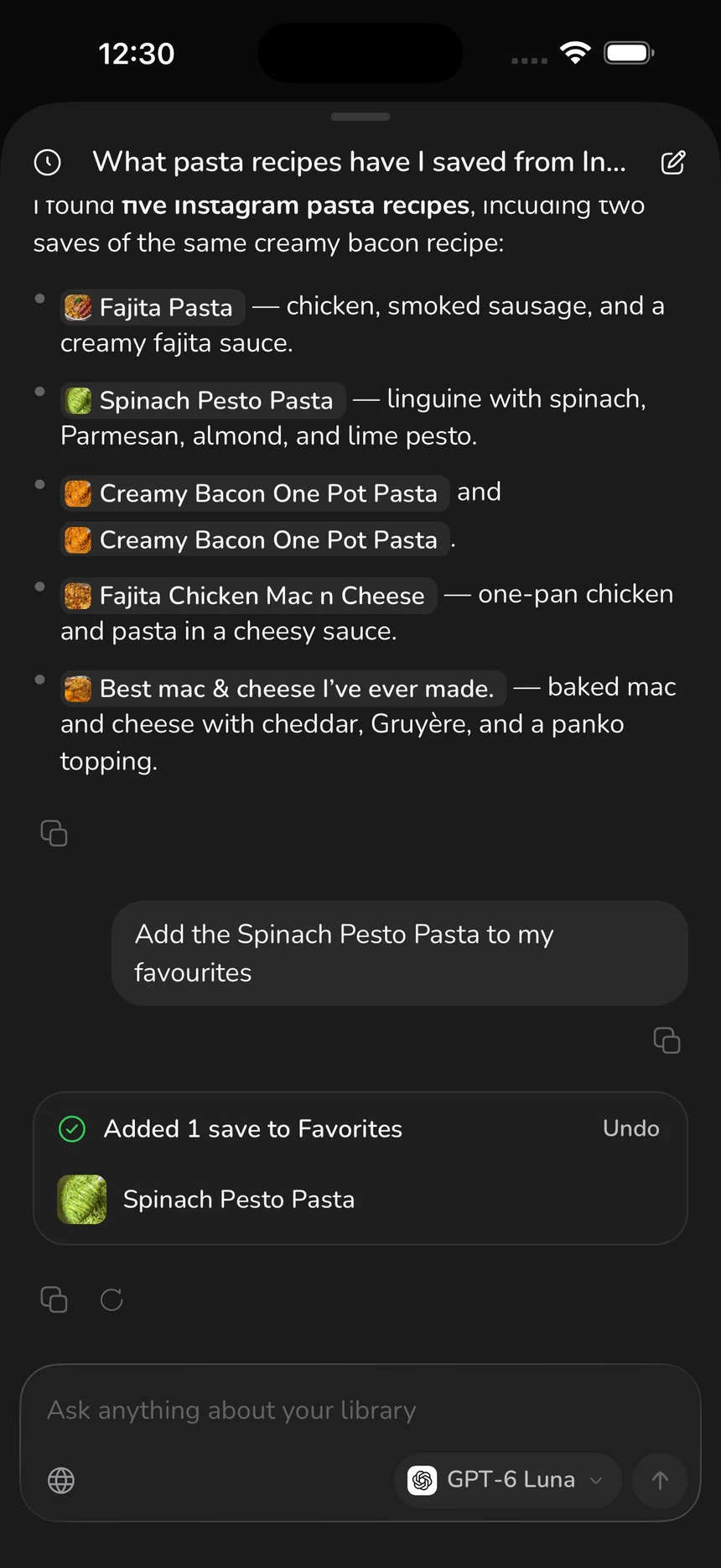
Then ask the way you'd ask a friend who knows your library. This is a real question on iPhone, from asking to the answer:
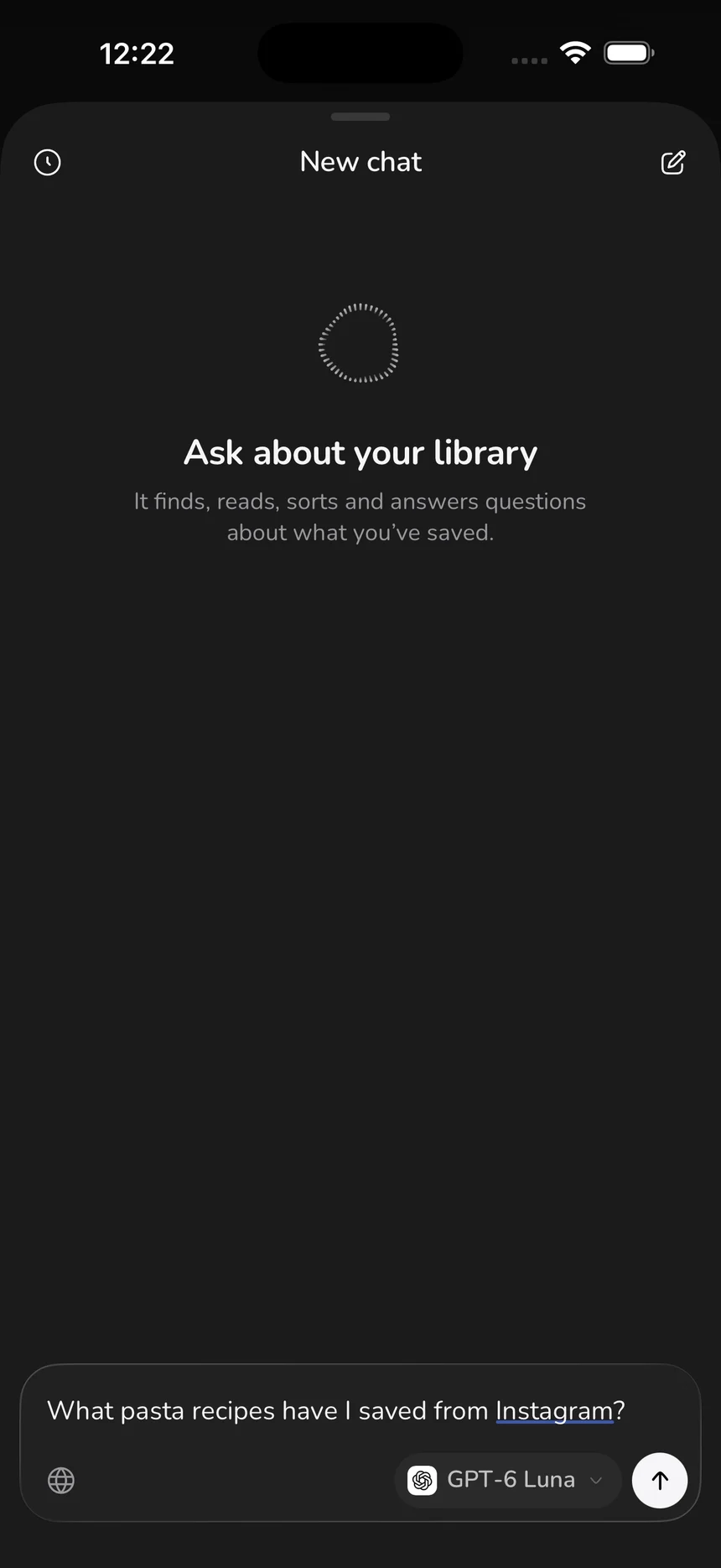
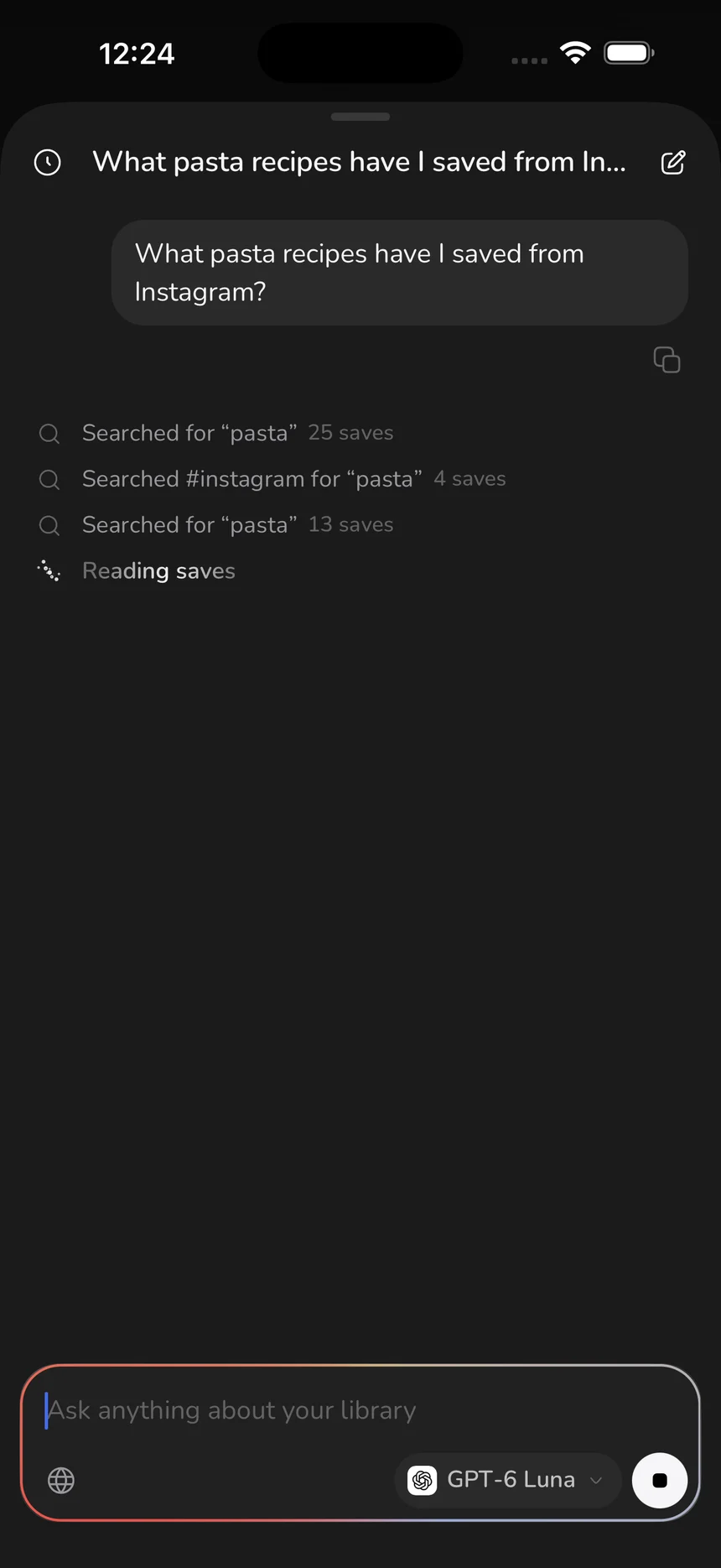
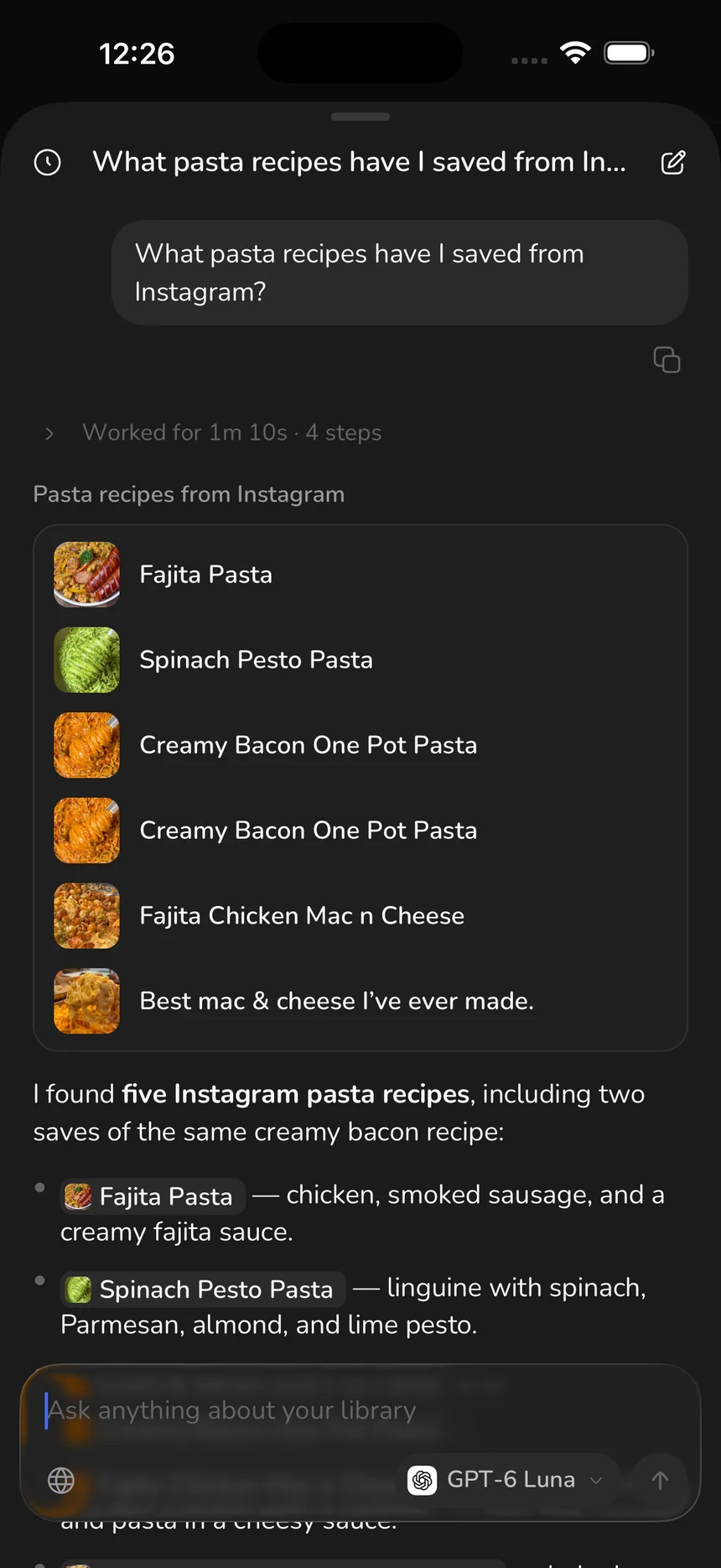
Other things to try are "What have I saved for Lisbon?" or "Find the thread about pricing I saved in the spring." The agent searches your saves by what they're about, reads the ones that matter in full, and shows them in its answer so you can open them. It reads an article's text, a recipe's ingredients, a voice note's transcript and your own notes, and with a model that can see pictures, it looks at each save's picture too. With Search the web on, it can look things up online when your library doesn't have the answer.
It can also tidy up when you ask. Ask it to sort your Inbox into collections, tag your Lisbon saves, set a reminder or bring back something you deleted. It shows what it's about to change and waits for a yes, and each change can be undone.
What it doesn't do
The agent only knows what's in Cavvi. Cavvi doesn't import Chrome's bookmark file, so it can't search the bookmarks you've made in your browser until you save those pages to Cavvi. It can't make new saves either: if you ask for a list, it writes one in its answer for you to save. Your conversations stay on the device you had them on, and your provider bills your key for what you use.
If you'd rather use Claude or Cursor, Cavvi also comes with an MCP server for the Mac. It only reads, and it searches by matching words.
Cavvi has 10 free saves on each device, then it's $49 once. The steps are in Ask the agent about your saves and Tidy your saves with the agent.
Questions
Can ChatGPT read my Chrome bookmarks?
Not directly. Export them from Chrome's Bookmark manager as an HTML file and upload it, and ChatGPT can search their titles and links.
Do I need a ChatGPT subscription to use AI with my saves?
Not for Cavvi's agent. It uses an API key from OpenAI or OpenRouter, which is billed by use, separately from a ChatGPT subscription.
What is MCP?
A standard way for AI apps to connect to other apps' data. You add a server to the AI app, and it can search through it when a question needs it.
Can AI sort my bookmarks into folders?
In Cavvi, yes. Ask the agent to sort your saves into collections, and it shows where each one would go before it files them.
Is it private?
With Cavvi, your library is kept on your devices and in your own iCloud Drive or Google Drive, never on Cavvi's servers. The agent sends what a question needs straight to the AI provider you chose, with your own key.
Keep reading

How to
How do I download a video from Pinterest?
Pinterest doesn't let anyone download video Pins, not even their own. What works instead, and how to keep a Pin's video as a file you can put in Photos.

How to
How do I download a video from X for free?
X only lets paying subscribers download videos, and only some. The free ways are a downloader site, a command-line tool, or an app that keeps the video.

How to
How do I save Instagram reels to watch offline?
Saved reels need a connection and vanish when they're deleted. How to download a reel with Instagram's own button, and how to keep reels that last.